
Summer with the Superintendent
Snyder ISD invites our Tiger families to join us for a brand-new summer series designed to keep our community connected, inspired, and reading!
👨👩👧👦 Important Note for Families: A parent or guardian must stay with their children for these events. These are fun activities meant for the whole family to enjoy together!
--JUNE--
Elementary School Events (Pre-K – 5th Grade)
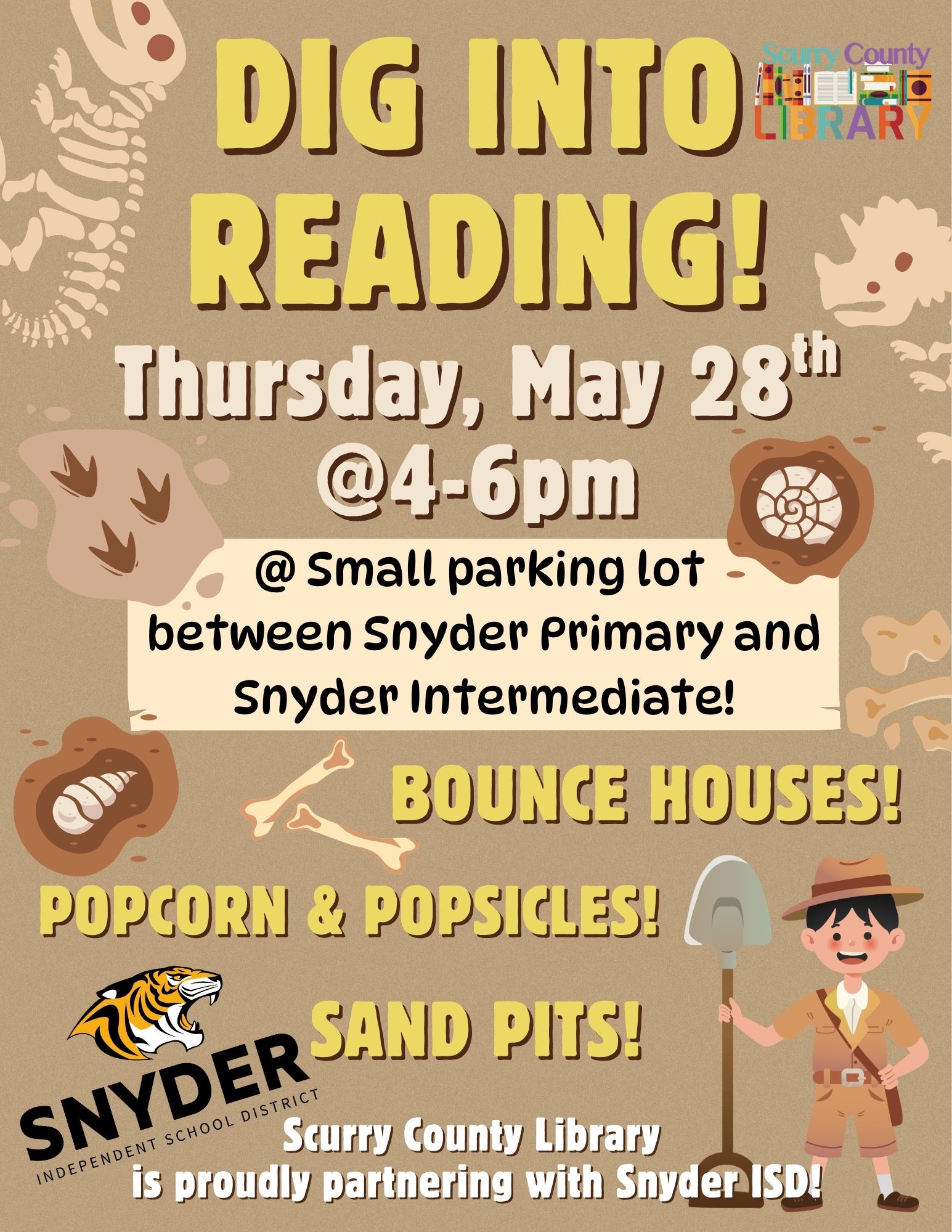
May 28th @ 4:00 PM – 6:00 PM | "Dig Into Reading" Summer Kickoff
What: Help us launch the Scurry County Library's “UnEarth A Story” Summer Reading Program! Learn about tracking your child's minutes on the Reader Zone App for weekly prizes.
Location: The parking lot between Snyder Primary School and Snyder Intermediate School.
June 8th @ 9:00 AM | Popsicles & Pages in the Park
What: Cool down with some popsicles and enjoy an engaging children’s book read-aloud.
Location: The larger playground in Towle Park (gathering at the gazebo).
June 22nd 3:30 PM - 4:30 PM | Scoops & Stories
What: Enjoy delicious ice cream sandwiches and a great book together.
Location: The Snyder Primary School playground.
Secondary School Events (Junior High & High School)
June 1st @ 9:00 AM - 10:00 AM | Donuts & Dream Big Goals
What: Kick off the month with free donuts and some summer goal-setting.
Location: Downtown Snyder Square.
June 16th @ 4:30 PM - 5:30 PM | Coffee, Chapters & Check-Ins
What: Our first secondary book club check-in! Come hang out, talk about what you're reading, and connect.
Location: J316 Coffee Shop.
June 29th @ 11:30 AM | Coffee, Chapters & Check-Ins (Mid-Day Edition)
What: Keep the momentum going with our late-June book club check-in.
Location: J316 Coffee Shop.
Summer Reading Program
☀️ UnEarth A Story: 2026 Summer Reading Program!
Snyder ISD is proud to partner with the Scurry County Library for this year’s “UnEarth A Story” Summer Reading Program! We are teaming up to stop the "summer slide," encourage student participation, and celebrate a community-wide love for reading.
Here is how the program works and how your family can dive into the fun:
📈 Tracking Progress & Weekly Recognition
To monitor student reading progress and minutes, the district is utilizing the Reader Zone tracking system.
Monitoring Progress: Mrs. Montoya has official access to the system and will be keeping track of our student reading logs.
Weekly Highlights: The top Snyder ISD readers will be celebrated and recognized weekly through the district’s ParentSquare and/or social media platforms!
📲 How to Join the Challenge:
To get your student officially entered into the challenge and running for weekly rewards, you will need the Reader Zone app:
Download: Search for Reader Zone in the Apple App Store or Google Play Store.
Account Setup: Create a quick parent account and add your student.
Log Minutes: Use the app to log your child's reading minutes throughout the summer! (Keep an eye on ParentSquare or reach out to the school for the specific Reading Program Code to link your child's account).
🎁 Scurry County Library Events & The Grand Finale
Milestone Activities: Snyder ISD will actively promote the exciting events, activities, and rewards hosted by the Scurry County Library for students who successfully hit their summer reading goals.
The Grand Finale: To conclude the 2026 Summer Reading Program, the Scurry County Library will host a special Awards Ceremony on July 29. Snyder ISD will help facilitate and support this event as we celebrate our students’ incredible reading accomplishments!
📚 Let's partner together to make this summer a success. Download the Reader Zone app, head over to the Scurry County Library, and let's help our students UnEarth A Story!
Summer Reading Resources
This summer, Snyder ISD students have free access to hundreds of digital books through Sora and a streamlined way to find physical books in our school libraries using Alexandria.
🍦 Resource 1: The Sora App & "Sweet Reads."
Available: May 18 – August 24
Sora is like the school version of the public library app Libby. This summer, it features over 460 titles, including 140+ free, no-wait "Sweet Reads" ranging from PK picture books to high school classics (including titles in Spanish).
⚠️ Note to Parents: Because the summer app shows the entire collection across all grade levels, please help your children choose books that match their age and interest level.
How to Access Sora on Mobile (Apple & Google Play Stores):
Download the App: Search for "Sora" in the App Store or Google Play Store.
Find Your School: Search for Snyder ISD.
Log In: Click the blue box and select "Continue." 4. Enter Credentials: Log in using the student's official school email address and password (other personal emails will not work).
Navigating the App:
Borrowing: Tap any book cover to read a summary, check the target audience, and click "Borrow." Students can borrow up to 2 books at a time.
Home: Pick up right where you left off, and view saved notes or vocabulary words.
Explore: Search by subject, title, or collection.
Tip: Click the Search (magnifying glass) icon in the upper right to connect to the Big Country Library System for even more options!
Shelf: Track current loans, holds, and reading history.
Me: View reading streaks, time spent reading, and earn fun achievement badges!
🔍 Resource 2: Alexandria (Online Physical Library Catalog)
Before heading to a campus library to check out physical books, students can preview what is available online to save time.
Website: snyderisd.goalexandria.com
Best Ways to Search:
Search: A basic keyword tool. Type in a specific subject, book title, or author.
Scout: A visual search tool that displays book covers and titles, making it highly engaging for younger readers.
Explore: Perfect for students who don't know what they want to read yet! It lets them click through categories (e.g., clicking Games and Sports $\rightarrow$ Team Sports $\rightarrow$ Basketball to see all basketball books).
📋 Quick Checklist for Library Visits: When a student finds a book they like on Alexandria, make sure it says "Available", then write down the Title and the Call Number so it's easy to find on the physical shelves.
Note: It is recommended to skip the "Browse" tab, as it can be overwhelming and includes late-arriving book orders that may not be on shelves yet.